
Pay Your Bill Online
Securely pay your Fallbrook Podiatry bill in just a few clicks. Have your statement handy — you'll need your account number.
1
Find your account number on the statement you received from our office. It's printed near the top of the page.
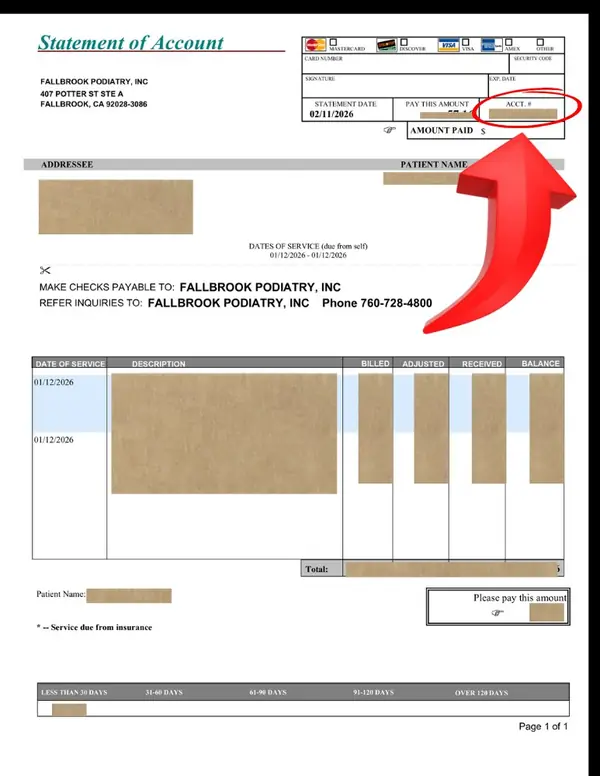
Your account number is in the top right corner of your statement, circled above in red.
2
Click "Pay Now" below. You'll be taken to our secure payment page.
3
Enter your account number in the Invoice Number field and enter the exact "Pay This Amount" shown on your statement as the payment amount. Fill in your card details and submit.
Not sure about your account number? Call us at (760) 728-4800 and we'll look it up for you.
Secure payment processed by Helcim — your card information never touches our website
Prefer to pay by phone? Call (760) 728-4800 during office hours.
MON – FRI 9 am – 5 pm
Accessibility Settings
Adjust for your needs
Accessibility Profiles
Content Adjustments
Color & Display
Navigation & Orientation
Most patients get in within 24–48 hours — give us a call and we’ll find a time that works • Mon–Fri • (760) 728-4800